
In the modern web development landscape, Single Page Applications (SPAs) built on frameworks like React, Vue, and Angular have become the default choice for many engineering teams. They offer incredible interactivity, state management, and developer experience. However, when these architectures are deployed using Client-Side Rendering (CSR) for content-heavy, public-facing websites—such as massive programmatic SEO builds, local business directories, or enterprise service hubs—the results are often catastrophic for search engine visibility.
If your website relies on JavaScript to render its primary content, internal links, or metadata, you are forcing search engines to work exponentially harder to index your pages. In 2026, Google's crawling infrastructure is sophisticated, but it is not infinite.
This comprehensive guide breaks down the hidden costs of JavaScript SEO, explains the exact mechanics of how Googlebot processes client-side rendered websites, and outlines why transitioning to Server-Side Rendering (SSR) or Static Site Generation (SSG) with platforms like AiPress is mandatory for outranking competitors.
The Two Waves of Indexing: How Googlebot Processes JavaScript
To understand why Client-Side Rendering harms your SEO, you must first understand the "Two Waves of Indexing," the specific sequence of events Googlebot uses to crawl and index web pages.
Wave 1: The Initial HTML Crawl
When Googlebot first discovers a URL, it downloads the initial HTML payload sent by the server. If your website is statically generated (SSG) or server-side rendered (SSR), this HTML document contains all your text, headings, internal links, and semantic tags. Googlebot immediately parses this content, extracts the links to add to its crawl queue, and sends the page content to the indexing pipeline.
Wave 2: The Rendering Queue
If your site relies on CSR, the initial HTML downloaded in Wave 1 is essentially a blank container—often just a <div id="root"></div> accompanied by a massive bundle of JavaScript files. Because there is no visible content or links in the raw HTML, Googlebot cannot index the page immediately.
Instead, the URL is placed into the Web Rendering Service (WRS) queue. The WRS operates a headless Chromium browser that executes your JavaScript, fetches API data, and builds the DOM. Only after this costly rendering phase is complete can Google extract the content and links.
The Problem: The Render Delay
The critical flaw in the Two-Wave system is the time delay. The Web Rendering Service is incredibly resource-intensive. Millions of websites are constantly being queued for rendering. Google openly admits that the delay between Wave 1 (the initial crawl) and Wave 2 (the JavaScript execution) can take anywhere from a few hours to several weeks.
If you are publishing time-sensitive content, or if you manage a programmatic SEO site launching thousands of pages a month, a multi-week render delay effectively neuters your organic growth.
4 Ways Client-Side Rendering Destroys Your Technical SEO
Beyond the render delay, CSR introduces a host of structural problems that actively suppress rankings.
1. Crippled Crawl Budget and Discovery
Crawl budget refers to the number of URLs Googlebot is willing and able to crawl on your site within a given timeframe. When a bot has to download, parse, compile, and execute heavy JavaScript payloads for every single page, the computational cost skyrockets.
Google allocates server resources based on a site's popularity and performance. If your CSR site drains these resources quickly due to high script execution times, Googlebot will throttle its crawl rate. Consequently, deep internal pages, newly published service areas, and critical programmatic hubs will become "Orphaned" in the eyes of the search engine, sitting undiscovered for months.
For large-scale sites, check out our deep dive on Crawl Budget Optimization to see how reducing server response times directly increases indexed pages.
2. The Link Discovery Bottleneck
Internal linking is the vascular system of SEO; it distributes PageRank and establishes topical relevance. Search engines rely heavily on standard <a href="..."> tags found in the initial HTML to navigate your site hierarchy.
In many SPAs, navigation is handled via JavaScript event listeners (e.g., onClick routing functions) rather than standard anchor tags. If Googlebot cannot execute the script properly, or if the render times out before the navigation tree is fully built in the DOM, the bot will fail to extract the links. This results in a flat, disconnected architecture where pages are isolated from one another, drastically lowering their ability to rank for competitive terms.
3. Fragile Metadata and Social Sharing
Title tags, meta descriptions, canonical URLs, and structured data (JSON-LD) must be present in the <head> of the document to be reliably processed. While Googlebot can execute JavaScript to read injected metadata, many other critical bots cannot.
- Social Media Scrapers: Facebook (OpenGraph), Twitter, and LinkedIn crawlers do not execute JavaScript. If your meta tags are rendered client-side, social shares will display as blank cards or generic fallback text.
- Alternative Search Engines: Bing, DuckDuckGo, and emerging AI search engines (like Perplexity and ChatGPT's web crawlers) have drastically lower JavaScript execution capabilities compared to Google. Relying on CSR means you are actively hiding your content from a rapidly growing segment of the search market.
4. Core Web Vitals Failure (LCP and INP)
Client-Side Rendering inherently delays the Largest Contentful Paint (LCP) and harms Interaction to Next Paint (INP). The browser must download the HTML, download the JavaScript bundles, parse the scripts, fetch data from an external API, and finally render the UI.
This waterfall of dependencies causes massive delays on mobile devices with throttled network connections and slower CPUs. Since Core Web Vitals are a confirmed ranking factor, a slow, bloated CSR site is mathematically disadvantaged against a lightweight, statically generated competitor. Learn more about the specific connection between performance and indexing in our guide on How Core Web Vitals Restrict Crawl Rate.
The Solution: Pre-Rendering, SSR, and Static Site Generation (SSG)
If you want to scale a website to 500 or 5,000+ pages and dominate organic search, you must abandon pure Client-Side Rendering in favor of architectures that serve fully formed HTML to the browser and the bot.
Server-Side Rendering (SSR)
With SSR, the JavaScript framework (like Next.js or Nuxt) executes on the server for every incoming request. The server fetches the necessary API data, builds the HTML document, and sends it to the client.
- Pros: Perfect for highly dynamic content (like a user dashboard or real-time inventory). SEO-friendly because the initial response contains the full DOM.
- Cons: High Time to First Byte (TTFB) if the server is under heavy load or if backend APIs are slow. Requires expensive compute resources to scale.
Static Site Generation (SSG) - The SEO Gold Standard
SSG pushes the rendering process to the build step. When you deploy the site, the framework fetches all the data, executes the JavaScript, and generates physical, static HTML files for every single URL. These files are then distributed globally via a Content Delivery Network (CDN).
- Pros: Incredible TTFB. Near-instant load times. Unbeatable security (no live databases connected to the front-end). Flawless SEO, as Googlebot instantly receives the complete HTML document, metadata, and internal links in Wave 1.
- Cons: Requires a site rebuild when content changes (though modern Incremental Static Regeneration solves this by updating pages in the background).
At AiPress, we strictly enforce Static Site Generation for all SEO-critical pages. By removing the burden of JavaScript execution from the client and the search engine, our architecture ensures maximum crawl efficiency. A statically generated site with 5,000 programmatic local service pages will consistently outrank a CSR equivalent because Googlebot can parse, understand, and index the entire site architecture in a fraction of the time.
Technical Audit: Is JavaScript Harming Your Existing Site?
If you suspect your current architecture is suffering from JavaScript SEO issues, perform this quick technical audit:
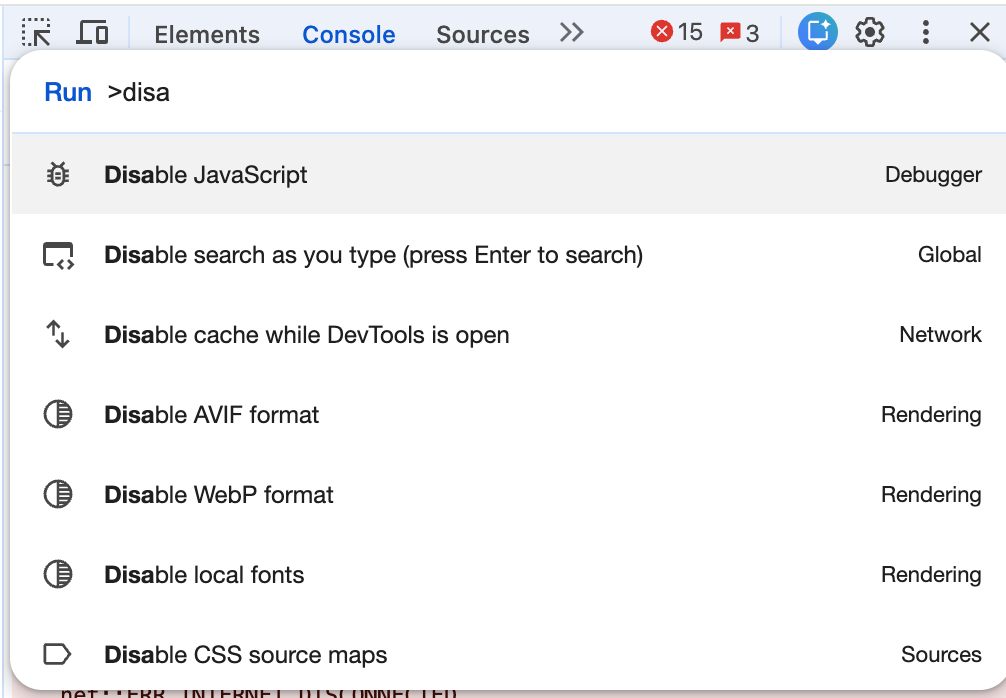
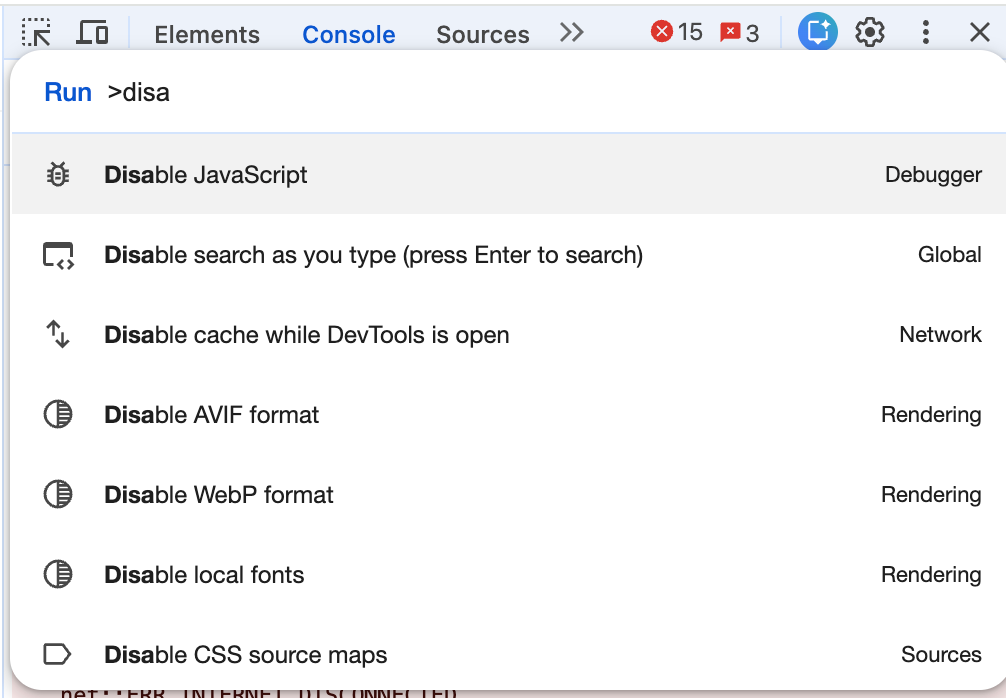
- Disable JavaScript in Your Browser: Use Chrome DevTools (Command+Shift+P > "Disable JavaScript") and reload your homepage. If your primary content, navigation menus, or internal links disappear, Googlebot is experiencing Wave 1 blindness. (See the detailed guide below for more ways to do this).
- View Page Source vs. Inspect Element: Right-click and select "View Page Source" (this shows the raw HTML sent by the server). Compare it to "Inspect Element" (which shows the DOM after JS execution). If the raw source lacks your target keywords, headings, and structured data, you have a CSR problem.
- Google Search Console 'Crawled - Currently Not Indexed': Check your GSC coverage report. A high volume of URLs stuck in this status often indicates that Googlebot discovered the URL but abandoned the render queue due to timeout issues or a depleted crawl budget.
- Mobile-Friendly Testing: Run your URLs through Google's Rich Results Test or the older Mobile-Friendly testing tools. Look at the "View Tested Page" > "HTML" tab. This is exactly what Googlebot's rendering engine saw. If it's missing content, your JS is failing to execute within the bot's strict timeout limits. (For deeper mobile insights, read our Mobile-First Indexing Audit Guide).
Practical Guide: How to Disable JavaScript for SEO Audits
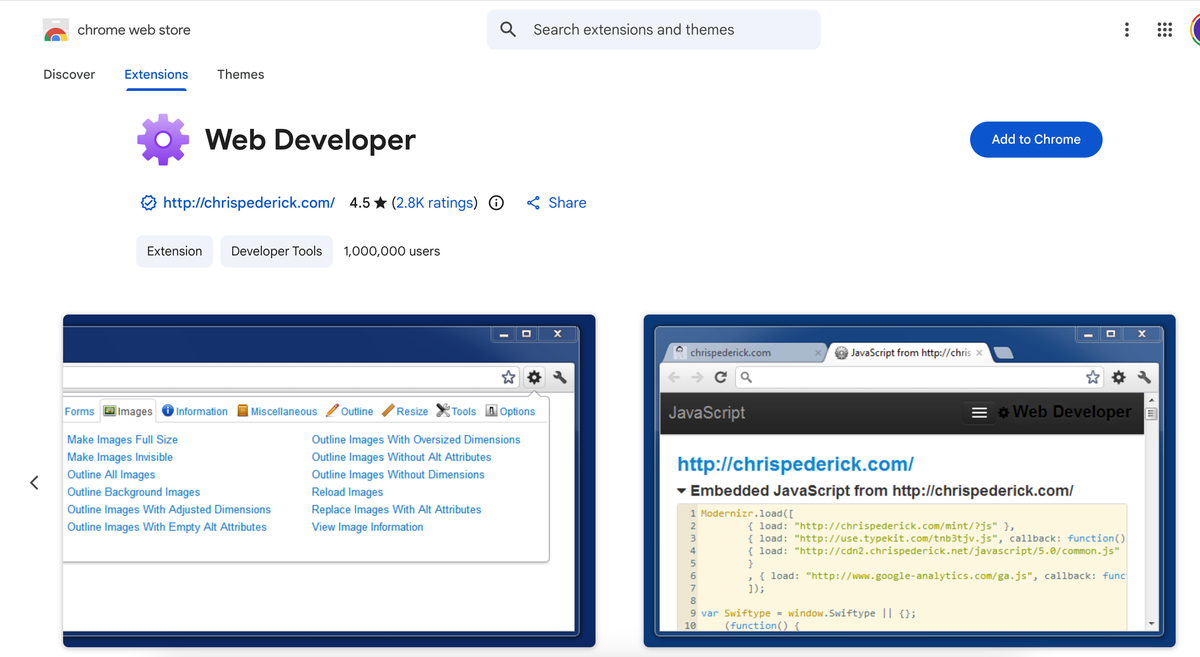
💡 Pro SEO Tip: Instead of disabling JS manually, you can use the Web Developer Extension for Chrome. Go to Toggle → Disable JavaScript. It is much faster for repeated audits.
3 Methods to Disable JavaScript
Method 1: Using Chrome DevTools (Best for Developers)
This is the standard approach for SEO engineers. It only disables JS while DevTools is open.
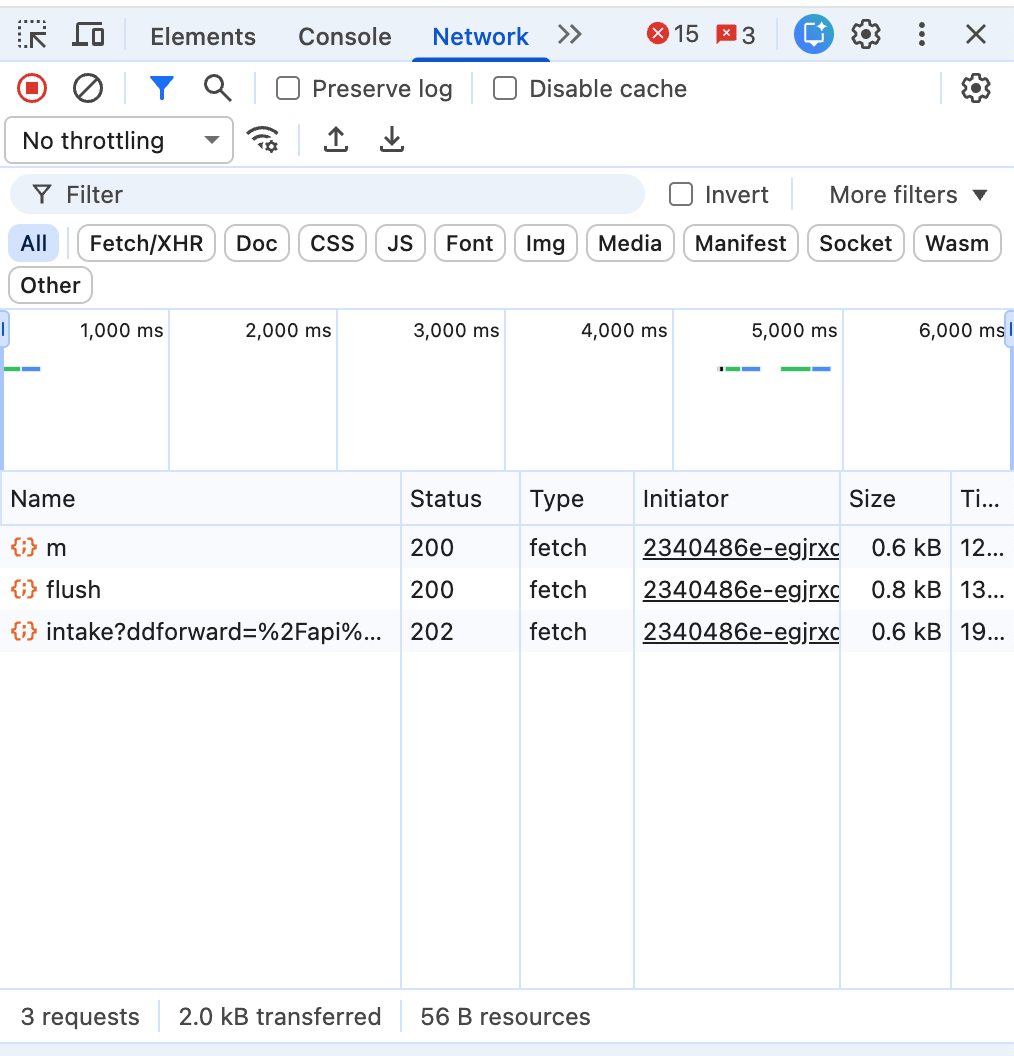
- Open the page you want to audit.
- Press
Cmd + Option + I(Mac) orCtrl + Shift + I(Windows). - Open the Command Menu with
Cmd + Shift + P(Mac). - Type "Disable JavaScript" and select it.
- Reload the page.
Method 2: Disable for a Specific Website (Recommended)
If you're testing SEO rendering or schema output on a specific site:
- Open the page.
- Click the lock icon to the left of the URL.
- Click Site Settings.
- Find JavaScript and change it to Block.
- Refresh the page. This is safer because most sites break without JS, and this only affects the site you are auditing.
Method 3: Quick Toggle in Chrome Settings
- Go to
chrome://settings/content/javascriptin your address bar. - Toggle it to "Don't allow sites to use JavaScript".
- Note: This disables JavaScript globally across all tabs.
Why SEO Professionals Disable JavaScript
Given the work we do with Next.js static exports and structured data, disabling JS lets you see:
- What Googlebot sees on first HTML load: Verify Wave 1 visibility.
- Whether schema is SSR or JS-injected: Ensure your JSON-LD is in the raw HTML.
- If your content is crawlable without hydration: Essential for large-scale programmatic sites.
- If your internal links exist in the raw HTML: Crucial for link equity distribution.
This is extremely useful when auditing large sites, like 1,500-page service area builds, where crawl efficiency is the difference between ranking and being ignored.
Conclusion
Client-Side Rendering is a brilliant engineering pattern for web applications, SaaS dashboards, and gated portals. But using CSR for an SEO-driven, public-facing website is a profound architectural mistake.
To dominate search in 2026, especially when executing programmatic SEO strategies across hundreds of localized pages, you must serve fully formed, semantic HTML upon the first request. By migrating away from heavy JavaScript execution and embracing Static Site Generation, you eliminate the render delay, maximize your crawl budget, and ensure that every piece of content you publish is instantly available to the search engine algorithms.
Stop forcing Googlebot to compile your website. Serve static HTML, dominate Core Web Vitals, and watch your organic traffic scale unhindered.
Ready to transform your WordPress site?
Get a free preview of your site as a fast, modern site.
Free preview