
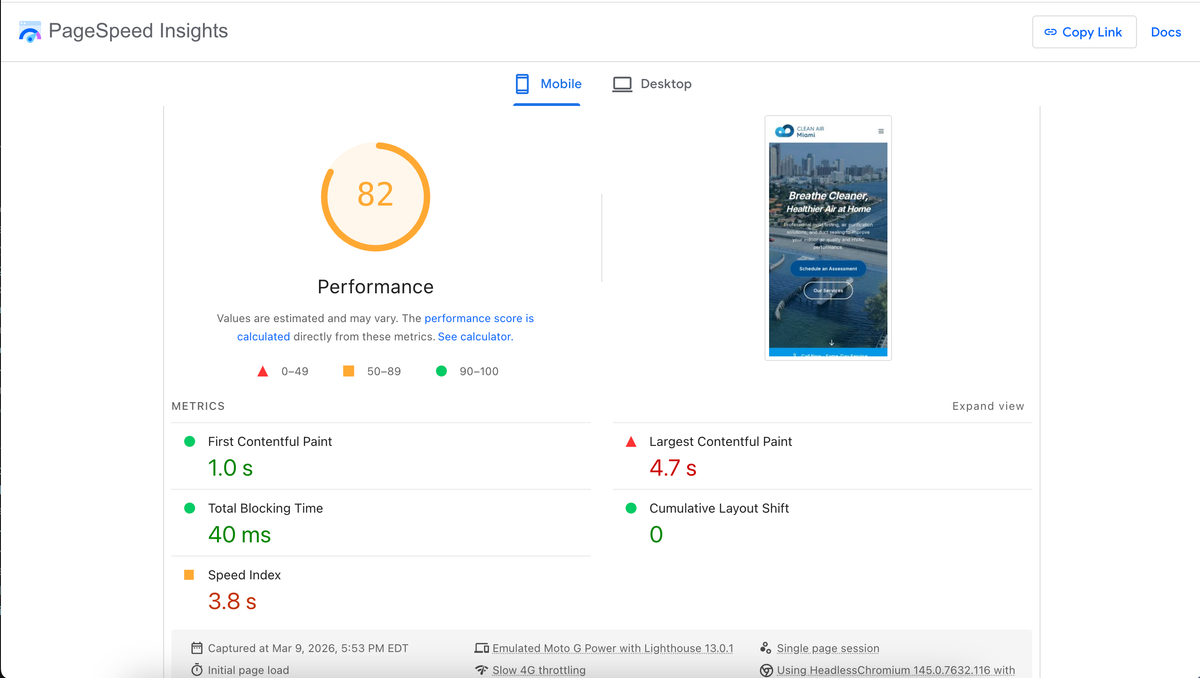
In the SEO industry, Core Web Vitals (CWV) are almost exclusively discussed as a minor ranking tiebreaker or a user experience (UX) metric. The common narrative is that if you fix your Largest Contentful Paint (LCP), Interaction to Next Paint (INP), and Cumulative Layout Shift (CLS), you get a small, algorithmic boost because users are happier.
While that is true, it completely misses the catastrophic, structural damage that poor Core Web Vitals inflict on large-scale websites: Crawl Rate Restriction.
When you operate a massive programmatic SEO build, an enterprise directory, or a sprawling localized service hub, the speed at which your pages render directly dictates how many pages Googlebot is mathematically capable of indexing. If your Core Web Vitals are failing, Google is not just ranking you lower; it is actively refusing to crawl your website.
This advanced guide explains the engineering mechanics behind this relationship and why migrating to a statically generated architecture (SSG) is the only permanent fix.
1. The Real Cost of LCP: The Googlebot Time Budget
Largest Contentful Paint (LCP) measures how long it takes for the largest visual element on a page (usually a hero image or an <h1> block) to render fully in the viewport. Google considers an LCP of under 2.5 seconds to be "Good."
The Waterfall of Server Strain
If your LCP is 6 seconds, you likely have a massive Time to First Byte (TTFB) issue, a blocked render path, or massive unoptimized assets. To Googlebot, a 6-second LCP means the server took too long to deliver the HTML, and the client (the rendering engine) took too long to parse the JavaScript and CSS required to paint the screen.
Googlebot operates on a strict time budget. Let's look at the math:
- If Google allocates 60 seconds per hour to crawl your domain.
- If your LCP (and general render time) is 1.5 seconds, Googlebot can comfortably process 40 URLs.
- If your LCP is 6 seconds, Googlebot can only process 10 URLs.
You have just reduced your indexing capacity by 75%. If you are launching a programmatic SEO campaign with 5,000 localized service pages, an LCP failure means thousands of your pages will be stuck in "Discovered - currently not indexed" limbo for months.
Why Google Throttle Crawl Rates
Googlebot is designed to be polite. If it detects that your server is struggling to respond quickly (high TTFB), or if the rendering phase (LCP) is consuming too much CPU on their Web Rendering Service, Google's algorithms assume that heavy crawling will crash your server or degrade the experience for human users.
As a protective measure, Googlebot intentionally throttles its crawl rate. It backs off. It visits less frequently. This is the silent killer of enterprise SEO.
2. Interaction to Next Paint (INP) and JavaScript Execution
INP measures a page's overall responsiveness to user interactions (clicks, taps, and keyboard inputs). While Googlebot doesn't "click" around your site like a human, INP failures are a massive red flag for underlying technical rot—specifically, main thread blocking.
The Main Thread Bottleneck
If your site has a poor INP, it means the browser's main thread is choked by heavy, unoptimized JavaScript execution. The browser is too busy compiling scripts to respond to a user.
When Googlebot's headless Chromium rendering engine hits a page with a choked main thread, it faces the exact same bottleneck. The bot has to wait for the JavaScript payload to execute before it can access the DOM, extract your internal links, and read your entity-rich content.
If you rely on Client-Side Rendering (CSR), a poor INP is fatal. Googlebot has a strict timeout limit for its rendering queue. If your JavaScript takes too long to execute, the bot will simply abandon the render. It will index an empty page (or whatever was in the raw HTML), and move on. Your content is functionally invisible.
3. Cumulative Layout Shift (CLS) and DOM Instability
CLS measures visual stability. If your text, buttons, and images jump around as the page loads, your CLS score plummets. This usually happens because images lack defined dimensions, or because fonts and ads are loading asynchronously late in the render cycle.
How CLS Breaks the Crawler's Understanding
Googlebot attempts to understand the layout of your page to determine the prominence and context of your content. Content placed high up in the viewport (above the fold) is generally given more weight than content buried in the footer.
If your page has a massive CLS failure, the DOM is unstable during the rendering phase. Googlebot might calculate the position of your primary keywords and <h1> tags, only to have a late-loading hero image push everything down 800 pixels. This constant shifting forces the rendering engine to recalculate the layout repeatedly, wasting CPU cycles and potentially causing the bot to misinterpret the visual hierarchy of your page.
A stable, instantly rendered DOM ensures Googlebot assigns the correct weight to your semantic HTML exactly as intended.
4. The SSG Solution: Perfect Web Vitals by Default
Optimizing a bloated WordPress site or a heavy React SPA to pass Core Web Vitals is a miserable, never-ending battle of plugin configurations, lazy-loading hacks, and script deferment. Every time you add a new tracking pixel or a marketing widget, the scores tank again.
If your crawl budget is restricted because of poor Web Vitals, you cannot fix it with a caching plugin. You need a structural paradigm shift.
Static Site Generation (SSG)
At AiPress, we mandate Static Site Generation for all high-performance SEO builds. SSG fundamentally solves the Core Web Vitals and crawl budget problem:
- Instant TTFB: Because the HTML is pre-compiled at build time and served from a global edge network, the server response time is practically zero. Googlebot instantly receives the payload.
- Lightning-Fast LCP: The critical CSS is inlined, and the initial HTML contains the fully formed DOM. There is no waiting for JavaScript to fetch data. The LCP happens almost instantaneously.
- Zero Main Thread Blocking: Because the page doesn't rely on CSR to display primary content, the main thread is free. INP scores are flawless, and Googlebot never times out during rendering.
- Stable DOM: All assets, images, and fonts are strictly defined during the build process, eliminating CLS completely.
When Googlebot encounters an SSG architecture, it realizes it can crawl the site at maximum velocity without harming the server or wasting its own rendering resources. Crawl demand soars, and your 5,000 programmatic pages are indexed in days, not months.
5. Mobile-First Indexing and Web Vitals
Remember that Google strictly uses Mobile-First Indexing. The Core Web Vitals that determine your crawl rate are calculated based on a throttled, mid-tier 4G mobile device, not a blazing-fast desktop connection.
If you are evaluating your LCP on a Macbook Pro connected to fiber internet, you are deluding yourself. You must audit your performance through the lens of a smartphone. (For a complete breakdown, read our Mobile-First Indexing Technical Audit).
When you combine a heavy JavaScript payload with a slow mobile processor, the render time expands exponentially. Googlebot simulates these exact constraints. If your mobile performance is poor, your mobile crawl rate will be crushed.
Conclusion
Stop treating Core Web Vitals as a minor UX checklist item. They are the gatekeepers of your crawl budget.
If your TTFB is slow, your LCP is delayed, and your main thread is choked with JavaScript, Googlebot will throttle its crawling, abandon your programmatic pages, and refuse to index your architecture.
To achieve scale, you must provide a frictionless environment for the crawler. By migrating to a statically generated architecture that guarantees passing Core Web Vitals, you unlock the maximum crawl rate, ensuring rapid indexing and total organic dominance.