
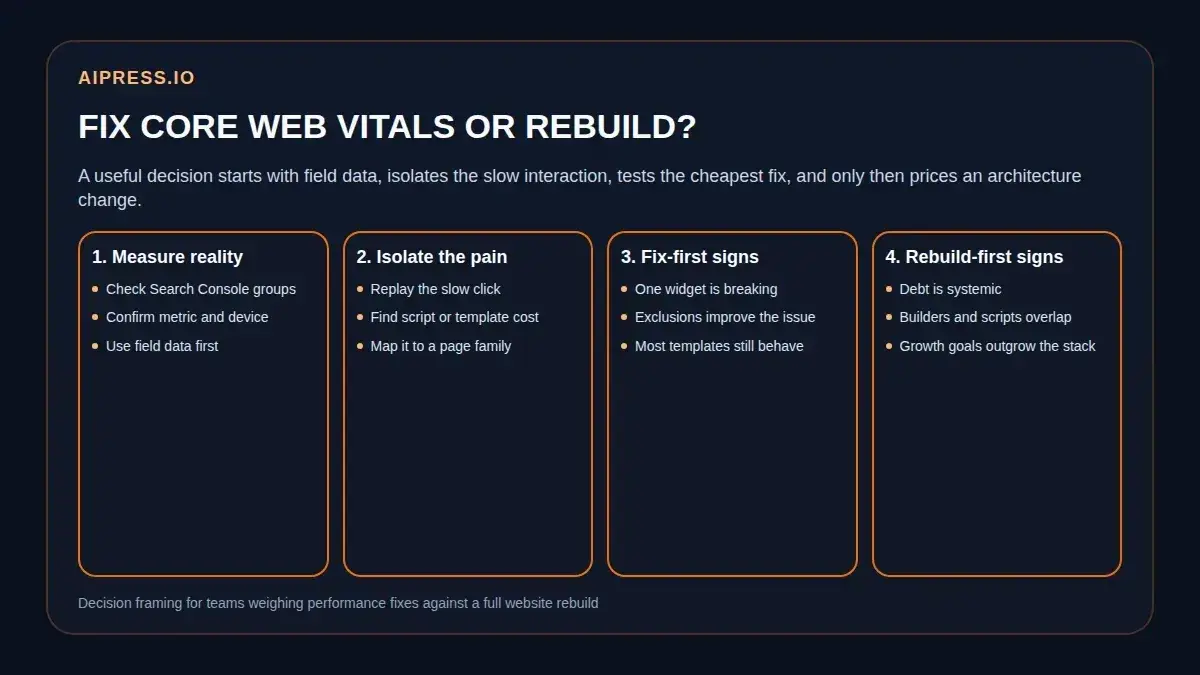
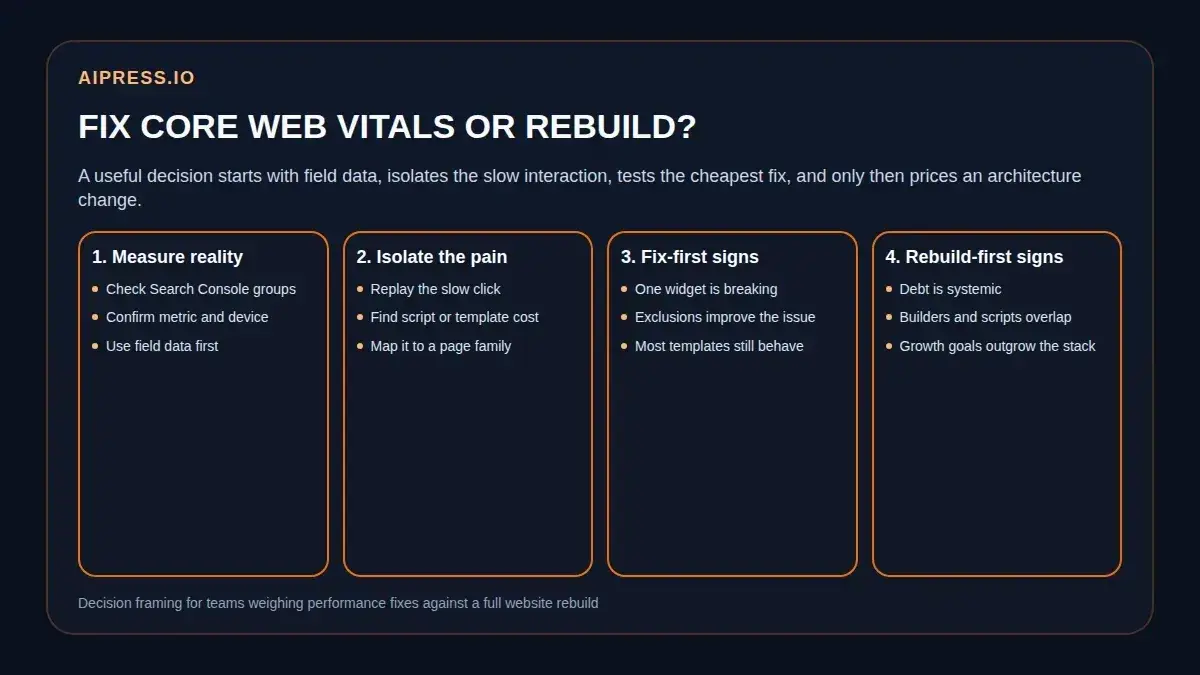
 A useful rebuild decision starts with field data, then moves through interaction evidence and business scope before anyone jumps to a full platform change.
The expensive mistake is not having poor Core Web Vitals. The expensive mistake is making the wrong core web vitals rebuild decision after you see them.
Teams do this all the time. A report turns red, a stakeholder gets frustrated, and the conversation jumps straight from "the site feels slow" to "we need a new website." Sometimes that is true. Sometimes the real problem is one script conflict, one builder-heavy template, or one interaction that breaks only after an overaggressive optimization setting goes live.
That distinction matters because Core Web Vitals are warning lights, not an automatic project brief. Google's Core Web Vitals report can tell you that real users are hitting a loading, responsiveness, or layout problem. It does not tell you, by itself, whether the honest answer is script cleanup, template simplification, or a full rebuild.
This guide is for growth teams, marketers, and owners who need a better way to choose. Use it to separate a fixable performance issue from architecture debt that is starting to cost more than the next round of patching.
Why this decision gets expensive
The real cost is not only technical. It is operational.
If you tell the business to rebuild when the problem was still narrow, you burn time, budget, and trust. If you keep tweaking a stack that is clearly fighting itself, you burn the same things more slowly.
Core Web Vitals create that tension because they blend multiple kinds of pain into one high-level status:
- a slow image or hero asset can drag LCP
- a laggy menu, search, filter, or popup can wreck INP
- unstable banners, embeds, or late-loading widgets can hurt CLS
Those issues can share a root cause, but they do not have to. A site can have one ugly template and still avoid a rebuild. It can also have "mostly decent" individual fixes while the overall stack remains too fragile for the next growth plan.
That is why the first question should never be, "Do we like this platform?" It should be, "What kind of problem are we actually solving?"
Once you ask it that way, the decision gets clearer:
- Are the issues concentrated or systemic?
- Are they tied to one interaction or many?
- Can the team prove improvement on the pages that matter most?
- Does the business need a bigger content and publishing system anyway?
Those are architecture questions, not just performance questions.
What Core Web Vitals can and cannot prove
The fastest way to misread performance data is to treat one tool as the whole story.
Google says the Search Console Core Web Vitals report is based on real-world usage data from Chrome users, grouped by similar pages. It assigns the group the status of its worst-performing metric. It also uses concrete thresholds that matter for triage:
- LCP: good at 2.5 seconds or less, poor above 4 seconds
- INP: good at 200 milliseconds or less, poor above 500 milliseconds
- CLS: good at 0.1 or less, poor above 0.25
That makes Search Console useful because it tells you what real visitors are experiencing across a page family. It also explains why owners get confused when PageSpeed Insights looks acceptable on one URL but Search Console stays red. Google explicitly notes that Search Console works from URL groups, while PageSpeed Insights usually reports on an individual URL. Those numbers do not always match, and they are not supposed to.
The newer responsiveness conversation makes this even more important. In the official Interaction to Next Paint documentation, web.dev explains that INP looks at all click, tap, and keyboard interactions across the visit, not only the first input. It also notes that Chrome usage data shows 90% of a user's time on a page happens after load. That is why a page can look fast enough on initial paint and still feel slow once someone opens a menu, taps a calculator, expands an accordion, or submits a search.
Use that distinction to keep your evidence straight:
| Signal | What it is good for | What it cannot decide alone |
|---|---|---|
| Search Console Core Web Vitals | Confirms that real users are seeing a grouped problem on mobile or desktop | Whether the fix is narrow or architectural |
| PageSpeed Insights or Lighthouse | Helps diagnose one page and surface likely technical causes | Whether the rest of the template family behaves the same way |
| Interaction replay or DevTools tracing | Shows what happens when a user clicks, taps, or types | Whether the same issue is business-critical across the site |
| Stakeholder frustration | Tells you the pain is visible | Tells you almost nothing about the cheapest honest fix |
That last row matters more than most teams admit. A stakeholder can be right that the site feels bad and still be wrong about the scope of the solution.
When a fix-first pass is still the smart move
The cheapest honest move is still the best move.
That means a fix-first pass is appropriate when the evidence points to a narrow bottleneck, not a platform-wide failure. In practice, there are four common signs.
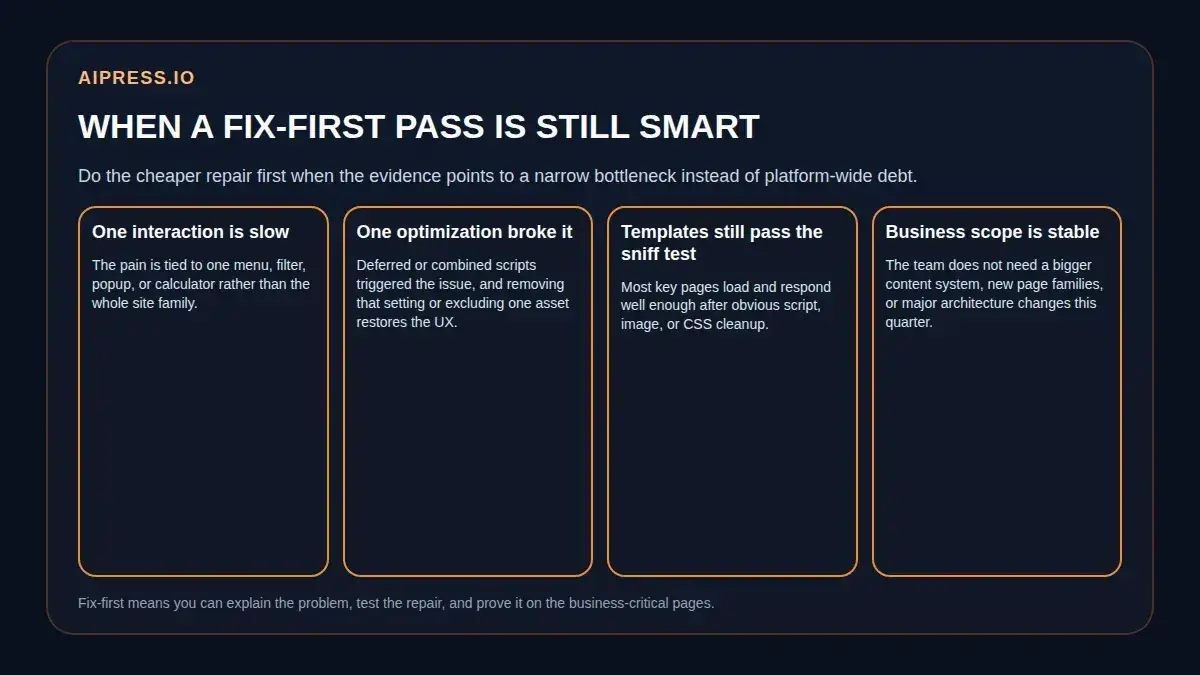 Fix first when you can explain the pain, reverse the breaking change, and prove improvement on the pages that actually matter.
1. One interaction is obviously doing the damage
If the complaint is specific, treat it as useful evidence.
Examples:
- the mobile menu lags
- the accordion hesitates
- the search overlay hangs
- one sticky CTA widget makes the page feel broken
That kind of narrow pain lines up with web.dev's Optimize INP guide, which recommends starting with field data, then reproducing slow interactions in the lab. The point is simple: if you can isolate one interaction, you can test one repair before prescribing a rebuild.
2. One optimization setting broke working UI
This is more common on WordPress builds than teams like to admit.
Two public WordPress.org support threads are useful here because they show the pattern clearly. In one thread, enabling deferred render-blocking JavaScript created repeated "jQuery is not defined" errors across multiple scripts and UI components. In another, combining LiteSpeed CSS and JavaScript broke Elementor-related widgets and animations until support recommended excluding key frontend assets from optimization.
Those are not "the platform is doomed" examples. They are fix-first examples:
- a configuration changed
- the interaction broke
- exclusions or rollback became the next sensible test
That does not mean the site is healthy overall. It means you should not confuse a self-inflicted optimization conflict with proof that the whole architecture must be replaced.
3. The important templates still behave after cleanup
If the pages that drive leads recover meaningfully after obvious work, keep going before escalating.
That work may include:
- removing or delaying one third-party script
- simplifying one builder-heavy section
- reducing asset weight on a small set of landing pages
- reversing a cache or combine setting that destabilized the frontend
Google's own guidance for the Search Console report says to fix Poor issues first and then prioritize the issues affecting the most URLs or the most important URLs. That is a practical reminder that "all performance cleanup" is not one project. Start where the business actually feels the problem.
4. The business scope is still stable
A site does not need a rebuild just because it annoys the team.
If the business is not trying to launch new page systems, scale service-area content, or support a more ambitious publishing workflow soon, the bar for a full rebuild should stay higher. Performance fixes are often enough when the site architecture is imperfect but still aligned to the next 6 to 12 months of work.
When a rebuild becomes the honest answer
The rebuild case gets stronger when the performance issue stops being isolated and starts revealing a broader operating problem.
That is where many WordPress teams eventually land: not because one metric turned red, but because every attempted repair proves how much of the stack is now interdependent.
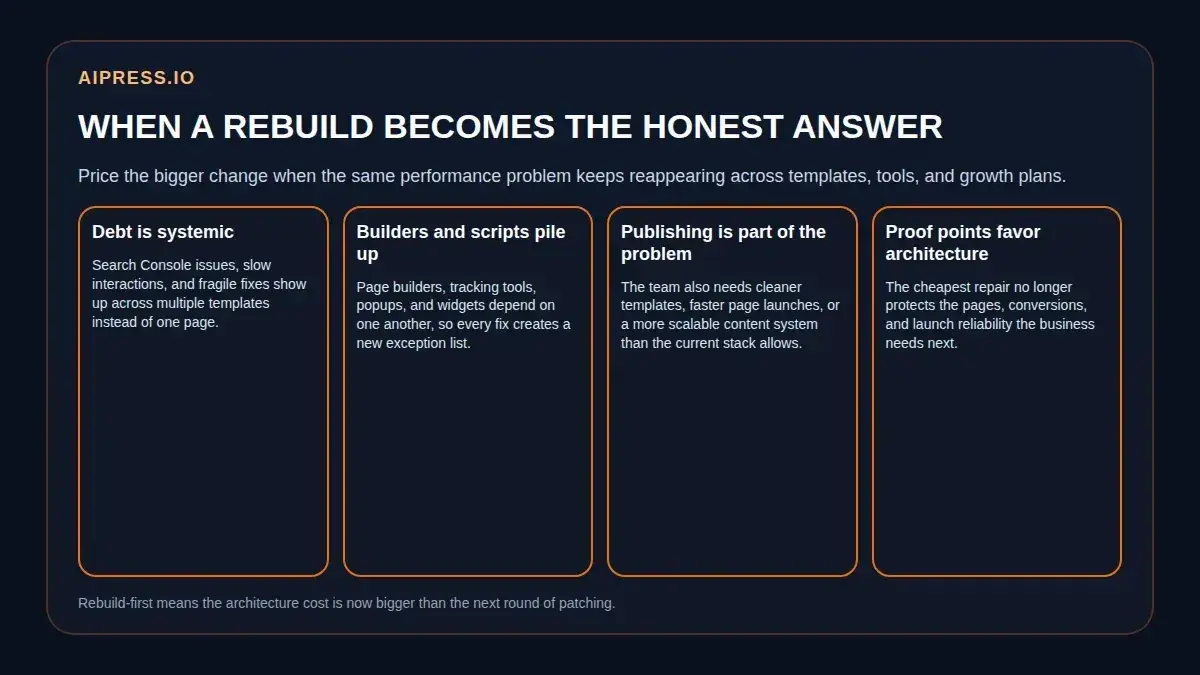 A rebuild becomes the honest answer when the architecture cost is now larger than the next round of fixes.
1. The same issue appears across multiple templates
Search Console's grouped reporting is especially helpful here. If a bad state keeps surfacing across major page families, you are no longer looking at one ugly landing page.
That is a strong rebuild signal when:
- multiple lead-gen templates share the same slow interaction pattern
- the site only feels acceptable on a few hero URLs
- every fix helps one page while the same pain survives elsewhere
2. Builders, widgets, and third-party scripts are stacked together
web.dev explains that interaction latency comes from input delay, processing duration, and presentation delay. It also warns that script evaluation can create long tasks on the main thread, and that large DOMs make rendering more expensive during both initial load and user interaction.
That matters because many troubled marketing sites are not suffering from a single bad image or one uncompressed file. They are suffering from a pattern:
- builder-heavy markup
- multiple global scripts
- late layout adjustments
- interaction-heavy modules
- extra work triggered after load
When those layers pile up, each "simple fix" often turns into another exception list. That is exactly the point where AiPress's own break-at-scale framing becomes useful: the conversation is no longer just about one plugin. It is about whether the current delivery model is still appropriate for the business.
3. Publishing needs have outgrown the stack too
This is the part many rebuild discussions miss.
Sometimes the performance problem is real, but it is not the only reason the business is considering change. The team may also need:
- cleaner page templates
- easier expansion into new service or location pages
- less plugin maintenance
- better launch QA
- a more reliable path for ongoing content operations
Once performance debt and publishing debt start reinforcing each other, a rebuild becomes easier to justify because it solves more than one category of drag.
4. The proof points now favor architecture, not patching
If you keep running into the same story, believe it:
- fixes are temporary
- exclusions keep piling up
- key interactions still feel unreliable
- launch confidence depends on crossing your fingers
At that point, the right question is no longer "Can we get one more optimization win?" It is "Why are we still buying small repairs for a larger systems problem?"
That is where macro-level context can help. The Core Web Vitals Technology Report from HTTP Archive combines CrUX experience data with technology detections, giving teams a broader way to compare how architectural choices perform over time. It will not diagnose your site for you, but it is a useful reminder that platform and implementation choices do affect real-user outcomes at scale.
The evidence package to collect before you decide
If you want a decision that will hold up with an owner, collect these five proof items before anyone asks for budget.
1. The grouped issue from Search Console
Document the metric, device type, and affected page family. If the issue is Poor, Google says to prioritize it first. If it affects one of your most important URL groups, move it up the list even faster.
2. One reproduced slow interaction
Use PageSpeed Insights, Lighthouse, DevTools, or direct interaction testing to show the actual moment that feels bad:
- open menu
- start filter
- trigger popup
- submit search
- interact during load
That step matters because web.dev recommends reproducing slow interactions in the lab after field data tells you there is a real problem. If you cannot point to the interaction, you are still guessing.
3. The template or script pattern behind it
Ask which templates share the behavior and which assets wake up when the user acts. This is where the problem usually becomes legible:
- one widget
- one script family
- one builder pattern
- or the whole page system
4. The business-critical page list
Do not let performance remain abstract. List the pages that actually matter:
- top landing pages
- high-intent service pages
- main conversion paths
- location or content clusters the team cannot afford to destabilize
This stops the discussion from becoming a design argument and turns it back into a business decision.
5. The next-12-month growth plan
If the company is about to expand content, locations, calculators, or service lines, include that in the decision. A stack that is "good enough" for a stable brochure site may be the wrong stack for the next phase of growth.
One practical way to summarize the evidence is this:
| If the evidence says... | The honest next move is usually... |
|---|---|
| One interaction broke after one optimization change | Fix and retest |
| One template family is bloated but the rest of the site is fine | Repair the template, then measure again |
| Key templates share the same interaction debt and script clutter | Price a bigger architecture change |
| Performance pain overlaps with publishing and maintenance drag | Rebuild planning becomes more credible |
That is the real decision framework. Not panic. Not ideology. Proof.
How AiPress frames the fix-or-rebuild fork
AiPress should only be useful in this conversation if it makes the decision clearer, not if it pushes every problem toward a rebuild.
The strongest first-party AiPress pages already point in that direction. The Core Web Vitals explainer handles the metric basics. The WordPress INP audit shows what a narrow fix-first workflow looks like. The website rebuild approval memo covers the owner-facing case when a rebuild becomes the better answer. AI Websites makes the structural case for pre-built pages, cleaner delivery, and lighter runtime overhead, while Why WordPress Breaks at Scale frames the bigger platform question when the stack keeps fighting growth.
Put together, the AiPress position is not "rebuild everything." It is closer to this:
- fix narrow performance debt honestly
- measure the result where it matters
- rebuild when the architecture is now the bottleneck, not just the latest symptom
That is also why the next step does not need to be a blind commitment. If you want to see what a lighter structure could look like before a larger project starts, plan your AI website and use the preview as an input to the decision, not as a replacement for the evidence package.
FAQ
Do poor Core Web Vitals automatically mean I need a rebuild?
No. They prove that users are seeing a problem. They do not prove the scope of the fix. One narrow interaction failure can still be a repair job.
Why can PageSpeed Insights look decent while Search Console still shows problems?
Because Search Console groups similar URLs using field data from real users, while PageSpeed Insights often reports one URL at a time. Google explicitly says those views can differ.
What is the clearest fix-first scenario?
When one script or optimization setting is breaking working UI. Public WordPress support threads around deferred JavaScript and combined LiteSpeed assets are good examples of issues that may look architectural at first glance but are still reversible configuration problems.
When should an owner take a rebuild conversation seriously?
When the same issue appears across major templates, the site needs constant exclusions to stay usable, and the next growth plan requires a cleaner page and publishing system than the current stack can support reliably.
This article is educational, not legal or platform-policy advice. Performance data, browser behavior, and platform tooling can change, so confirm important rebuild decisions against the latest official documentation before launch.