
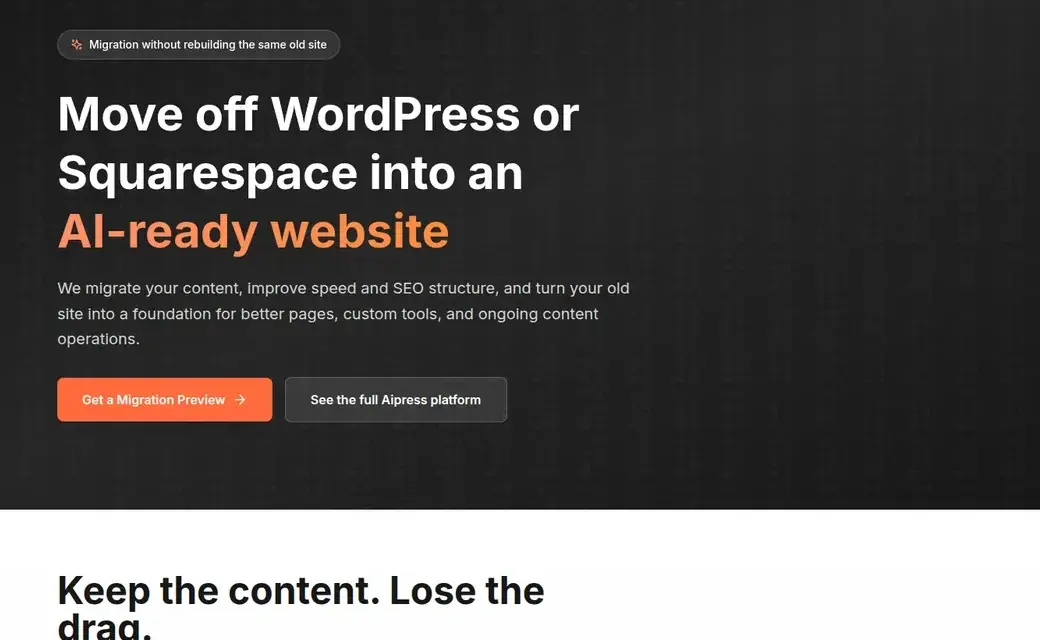
If a vendor offers you a free homepage preview, the temptation is obvious: you see a cleaner design, a faster-looking page, and a path out of the platform mess you are tired of maintaining. But a homepage preview is only useful if you know what it proves, what it does not prove, and what questions it should trigger before you approve a full migration.
This website migration checklist is built for founders, marketers, and operators who want to review a preview like a decision-maker, not like a spectator. It uses AiPress's own preview and migration pages as concrete examples, and pairs them with Google and web.dev guidance on Core Web Vitals, crawl behavior, and low-value page risk. The goal is simple: help you avoid approving a rebuild because it looks better while missing the details that decide whether the migration will actually hold up after launch.
 A preview offer is only the start of due diligence. The review process should continue from the first form to stakeholder sign-off.
Introduction
AiPress positions its free preview as a quick way to see your homepage transformed before committing to a full migration. On the Get Started page, the form asks only for Email and Website URL, with Name optional, and the page states no credit card is required. On the broader AI Websites flow, AiPress also says that a real project includes a review stage where you preview pages, compare them to the old site, request changes, and verify accuracy before anything goes live.
That distinction matters. A homepage preview is not a launch plan. It is an early proof point.
If you are reviewing one, treat it as a screening artifact:
- Does it prove the team understands your current site?
- Does it reveal whether mobile UX, speed, and content structure are moving in the right direction?
- Does it give you confidence that deeper migration details — URLs, redirects, metadata, forms, analytics, and publishing workflow — are being handled intentionally?
If the answer is "not yet," that is not necessarily a deal-breaker. It just means the preview did its real job: it showed you where the next layer of questions starts.
What a homepage preview can tell you quickly
A good preview can answer more than "does this look modern?"
1) It can show whether the team understands your actual message
The first thing to review is not speed. It is whether the rebuilt homepage still says the right thing.
Ask:
- Is the primary value proposition still clear in the first screen?
- Are the main calls to action still aligned with how your business closes work?
- Does the hierarchy make sense for a first-time visitor, or was your content rearranged into a prettier but weaker story?
AiPress describes its process as extracting existing content, preserving structure where needed, and then reorganizing the site into faster, cleaner architecture. That sounds good on paper, but the preview should make it visible. If the new homepage strips away the proof, urgency, or trust cues that made your original page useful, a cleaner rebuild is not automatically a better one.
2) It can show whether the mobile experience is genuinely improved
One of the easiest mistakes in preview reviews is judging everything on a desktop monitor. That is how teams approve a design that still feels cramped, slow, or awkward on a phone.
Google's current Core Web Vitals guidance evaluates page experience around loading, interactivity, and visual stability, with "good" thresholds at the 75th percentile of real visits of:
- LCP: 2.5 seconds or less
- INP: 200 ms or less
- CLS: 0.1 or less
Those are not purely design metrics, but the preview should still help you check the basics:
- Is the hero readable without pinching?
- Are buttons large enough to tap confidently?
- Is the CTA visible early on mobile?
- Does the layout feel steady, or does it suggest delayed loading and shifting blocks?
AiPress repeatedly frames migrations around replacing heavy themes, plugins, and builder output with pages built for Core Web Vitals. A preview should not prove every field metric, but it should at least show that the mobile structure is moving toward cleaner, lighter delivery rather than recreating old clutter in a different template.
3) It can show whether the design is solving for conversion, not only aesthetics
Pretty rebuilds fail all the time because they improve the surface while weakening the path to action.
For a homepage preview, ask:
- Is the main CTA still where buying intent naturally peaks?
- Are trust cues visible before the fold or only buried lower on the page?
- If your business depends on contact, demo, estimate, or call actions, are those moments easier to reach than before?
On AiPress's own industry pages, the preview framing often points toward concrete outcomes such as mobile-optimized layout, clear call buttons, or better structure for lead generation. That is the right lens for a review: what changed in the visitor's decision path, not just what changed in the typography.
 A strong preview should explain what is being improved — not only that the page looks cleaner, but that speed, structure, and conversion flow are being handled intentionally.
What a preview cannot prove on its own
This is where teams get themselves into trouble. A homepage preview is often persuasive precisely because it hides the messy parts of a real migration.
It does not prove the whole site architecture is ready
AiPress's migration pages talk about preserving content, improving speed and SEO structure, and preparing the site for future content operations. Those are site-wide claims. A homepage preview only reveals a slice of that work.
It cannot, by itself, prove:
- that every important page has a proper place in the new hierarchy
- that service pages, blog posts, templates, or landing pages will inherit the same quality
- that taxonomies, hub pages, and internal links are being carried forward in a useful way
This becomes more important as your site gets larger. Google explicitly says crawl-budget concerns are usually minor for smaller sites, but become more relevant for larger sites or sites that auto-generate many URLs. If you have dozens or hundreds of pages, the homepage is the least dangerous place for things to look clean while the deeper structure still has problems.
It does not prove redirects and metadata are mapped correctly
AiPress's migration page says migrations include redirect planning, metadata review, and preservation of important pages. Good. But unless you see the mapping plan, that work remains a promise — not yet evidence.
Before approving a migration, ask for clarity on:
- URL mapping rules
- redirect handling for legacy URLs
- how title tags and descriptions will be preserved or improved
- canonical handling for changed or consolidated pages
- how schema and structured page elements will be regenerated
If the preview says "SEO-safe migration" but no one can explain what happens to your existing URLs, do not confuse marketing language with launch readiness.
It does not prove real-world performance
web.dev is clear on this point: lab tools help catch regressions, but field measurement is what reflects real user experience across different devices and networks.
So even if a preview feels instant on your machine, that does not prove:
- what mobile users on slower connections will experience
- what Chrome User Experience Report or Search Console will show later
- how the page behaves under real production load
Use the preview to ask for the measurement plan, not to skip it.
Performance checks: Core Web Vitals and mobile reality
If you only check "looks fast to me," you are leaving too much money on the table.
Ask for both lab signals and the field plan
The right conversation sounds like this:
- What did you measure in the preview environment?
- What is the plan for field measurement after launch?
- Which templates matter most for performance besides the homepage?
Google's guidance recommends evaluating Core Web Vitals at the 75th percentile, split across mobile and desktop. That matters because many migrations look healthy in desktop demos and still underperform on mobile where most commercial traffic actually lands.
Focus on the parts of the page that usually break first
When reviewing a preview, pay special attention to:
- hero images and large media blocks
- delayed fonts or late-loading badges
- sticky nav or CTA behavior on mobile
- chat widgets, popups, and tag-manager-heavy stacks
- pages that depend on embedded tools, maps, or forms
AiPress's broader AI Websites positioning emphasizes clean markup, lighter delivery, and no plugin dependency. That is useful context, but the preview still needs to make the performance logic visible. If the page is full of heavy third-party layers again, you may be rebuilding your old bottleneck in a newer framework.
Use the preview to test stakeholder discipline
One subtle benefit of a preview review is that it shows whether your own team can stay disciplined.
If internal feedback immediately adds:
- another popup
- more animations
- another trust badge strip
- extra scripts for "just one more tool"
then your launch risk is not only technical. It is organizational. A good migration partner should be able to explain what helps performance and what quietly degrades it before you repeat the same mistakes on a new stack.
 A preview should lead into a review process with explicit checks, not straight into an emotional yes.
SEO checks before you approve the migration
If the preview looks good visually but the SEO handoff is vague, slow down.
Review whether the new structure is browseable, not just searchable
Google's doorway-page guidance asks whether pages are integral to the user experience, whether they are hard to navigate to, and whether they exist mainly to capture search traffic without adding unique value.
That matters even in a homepage-preview conversation because migrations often become the moment when teams decide:
- which hubs deserve to exist
- which near-duplicate pages should be merged
- which sections are real navigation and which were only there for search footprint
If the preview is part of a bigger expansion strategy, ask whether the resulting page system will be clearly navigable and useful to humans, not only good at matching keywords.
Ask how low-value URLs will be handled
Google also says low-value URLs — including duplicate content, soft errors, and low-quality pages — can drain crawl activity away from the pages that matter.
That gives you a practical preview question:
What pages are you planning to remove, consolidate, or intentionally keep out of search?
If the answer is "we will just migrate everything exactly as-is," that is not always a virtue. Sometimes the migration is the best chance you will get to stop carrying old baggage.
Make sure the preview leads to a URL-level plan
By the time you move from preview to approval, you should know:
- which URLs are staying the same
- which ones are changing
- which redirects are required
- which pages are being combined
- which metadata fields are being regenerated or preserved
AiPress's own migration messaging includes URL preservation, metadata review, and redirect planning. Those are exactly the areas that should move from promise to checklist item before you sign off.
Scale checks if your site is bigger than a homepage
The larger your site, the less useful it is to make a yes/no decision from the homepage alone.
For a service business site
Review at least:
- the homepage
- one primary service page
- one location or geo page if you rely on local SEO
- one blog or educational template
- one conversion page or contact flow
That spread tells you more about the migration than a homepage ever can.
For a content-heavy site
Ask how the new system handles:
- category or hub pages
- pagination or archive patterns
- internal-link continuity
- canonical rules
- media optimization across older articles
AiPress's own SaaS flow explicitly frames review as full site preview, side-by-side comparison, conversion-flow testing, and stakeholder approval. That is a healthier model than treating the homepage preview as the only approval gate.
For a pSEO or large local SEO build
If the migration will lead into large-scale page generation, the bar gets higher.
Google's scaled-content-abuse policy says many pages become risky when they are created mainly to manipulate rankings rather than help users. Practitioner discussions echo the same concern in plainer language: city or service pages become dangerous when they are mostly template swaps instead of genuinely distinct assets.
So if a vendor shows you a sleek homepage and then talks about generating hundreds or thousands of pages, ask:
- What is the uniqueness model?
- What makes those pages useful beyond the keyword pattern?
- How will duplicate or weak pages be prevented?
- What is the crawl and indexation plan after launch?
Those are approval questions, not post-launch cleanup questions.
A stakeholder approval checklist
Here is the short version I would use in a real review meeting.
Content and UX
- The preview keeps the core offer clear.
- The primary CTA is still strong and visible.
- Mobile layout feels intentional, not compressed.
- Trust cues are present where buying anxiety is highest.
Performance
- The team can explain why the rebuilt page should perform better.
- They distinguish preview speed from real field measurement.
- They have a post-launch plan for LCP, INP, and CLS review.
- They can identify which non-homepage templates matter next.
SEO and structure
- There is a URL mapping plan.
- Redirect handling is part of scope, not an afterthought.
- Metadata preservation or rewrite rules are defined.
- Important hubs and internal-link paths are being reviewed, not blindly copied.
Launch risk
- Forms, analytics, and critical integrations have a test plan.
- Stakeholder review includes more than one page type.
- There is a rollback or fallback plan.
- Approval is based on evidence, not only enthusiasm.
If you cannot get clean answers to those items, the correct move is usually "continue review", not "approve migration."
FAQ
Is a homepage preview enough to approve a migration?
Usually, no. It is enough to judge whether the direction looks promising. It is not enough to prove URLs, redirects, metadata, template quality, analytics, or launch readiness across the whole site.
What should I ask for after the preview looks good?
Ask for the next layer: page-template examples, URL mapping, redirect logic, measurement plan, form/integration testing, and stakeholder review criteria. If the site is large, ask for a representative sample beyond the homepage.
Does a fast-looking preview prove better SEO?
No. Google does use real user experience signals and crawl efficiency matters, but a preview only suggests a direction. It does not prove future rankings on its own. Treat it as evidence that the foundation may improve — not as a guarantee.
What if my current site is small?
For smaller sites, crawl-budget complexity is often less important. That does not make the preview unimportant. It just means your review can focus more on mobile UX, conversion clarity, URL preservation, and launch cleanliness than on large-scale crawl concerns.
Where does AiPress fit in this process?
AiPress positions its preview as the start of a broader migration and review workflow, not as a one-screen substitute for full planning. If you want to see their current migration framing, start with AI Website Migration, the broader AI Websites overview, and the preview form at Get Started.
Next steps
If you are evaluating a homepage preview right now, do not ask only "do I like it?" Ask:
- What does this prove?
- What is still unproven?
- What would I need to see before approving the full migration?
That mindset protects you from approving a rebuild based on mood alone.
When the preview has done its job, put the remaining unanswered items into a website rebuild approval memo. The preview is the screening artifact. The memo is the decision document.
And if you want to review a live example of how AiPress frames this process, their own site is explicit about the next step: submit your URL, review the preview, compare the output to your old site, and then decide whether a full migration makes sense. That is the right sequence — as long as your approval checklist is sharper than the sales excitement.
Short disclaimer: performance, indexing, and ranking outcomes depend on your actual site, traffic, content quality, and launch execution. Confirm migration specifics on the official site and in your own review process before making a final decision.