
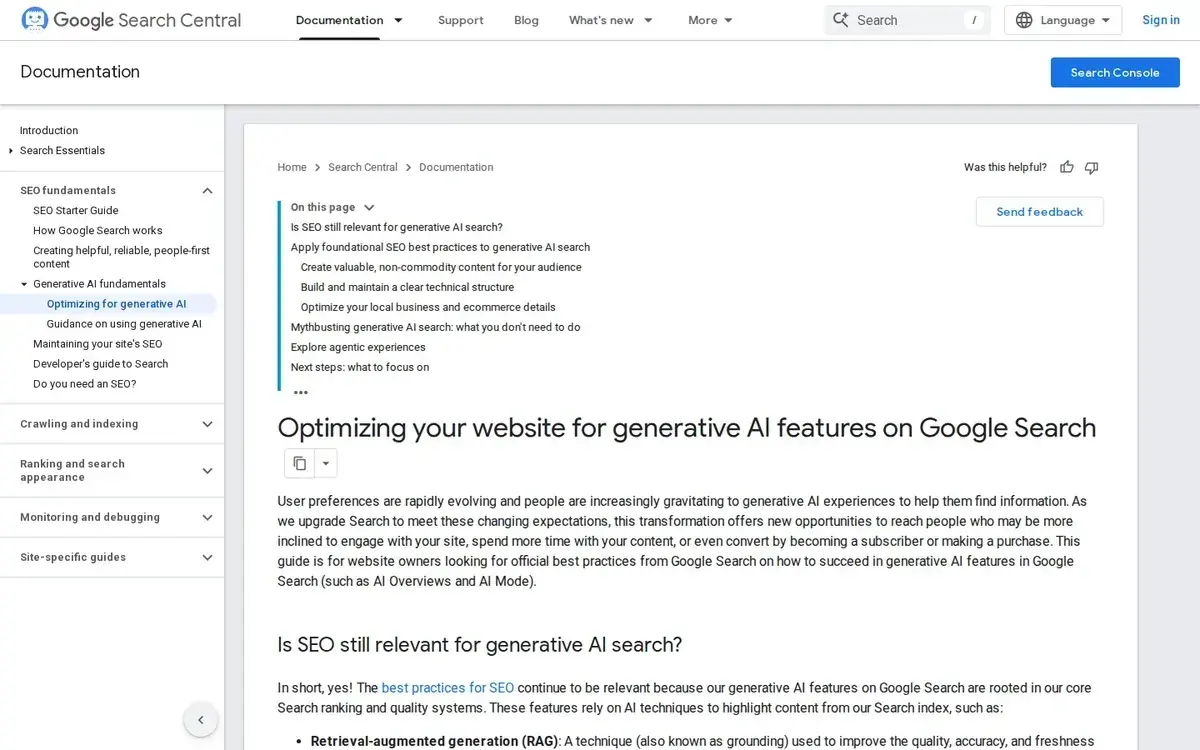
Google AI Mode SEO Audit for Service Businesses: 12 Checks That Matter Now
 Google's own framing is more conservative than most of the commentary around AI search: strong foundational SEO, clear pages, and accurate business details still do the heavy lifting.
Most service businesses do not need a brand-new religion for Google AI Mode. They need a cleaner operating routine.
Google's AI optimization guide makes the core point plainly: AI visibility on Google still rides on Search fundamentals, not on a secret pile of new hacks. If you already read our broader AI search playbook, this is the narrower follow-up for teams that want a practical audit.
For local and service businesses, that audit comes down to 12 checks:
| Area | Checks |
|---|---|
| Baseline page readiness | 1) indexed and snippet-eligible, 2) Googlebot not blocked and page returns 200, 3) key content and links are crawlable, 4) duplicate URLs are under control |
| Service-page clarity | 5) direct answer block near the top, 6) clear service scope, 7) visible proof and specifics, 8) structured data matches the visible page |
| Business details | 9) Business Profile is verified and editable, 10) hours and service availability are current, 11) attributes, services, and photos reflect reality |
| Monitoring | 12) weekly prompt audit tied back to Search Console query/page data |
What Google actually said about AI Mode optimization
Google's most useful sentence on this topic is also the least glamorous: its best practices for SEO still apply because generative AI features are rooted in the same ranking and quality systems as Google Search.
That matters because it cuts through a lot of bad advice at once.
You do not need to invent a separate "AI website" version of every service page. You do not need to rewrite copy into unnatural prompt-bait. You do not need to treat Google AI Mode as if it ignores the basic realities of crawlability, indexing, or content quality.
Google also explains two technical ideas that make this more concrete:
- Retrieval-augmented generation (RAG): Google retrieves relevant pages from its Search index and uses those pages as grounding for the response.
- Query fan-out: the system can run related follow-up searches behind the scenes to gather more detail for the original question.
That second point matters because a weak service page is no longer competing only for one exact keyword. It may be evaluated against several adjacent sub-questions in the same response chain.
So the real question is not "How do I optimize for AI Mode?" It is:
Would my most important service pages still look complete, specific, and trustworthy if Google pulled just one paragraph, one list, or one support detail out of context?
If the answer is no, start there.
The baseline page-readiness checks
The first four checks are not exciting. They are also the part many businesses quietly fail.
1. Make sure the page can actually appear as a supporting link
Google's AI features documentation says a page must be indexed and eligible to appear in Google Search with a snippet before it can show as a supporting link in AI Overviews or AI Mode. There are no extra technical requirements beyond that.
That means your first question is not "Do I have enough AI formatting?" It is "Is this page even eligible to be shown cleanly in Search right now?"
If you want the narrower supporting-link checklist for AI Overviews, use the AI Overview visibility checklist for local businesses. This audit stays on the broader AI Mode workflow.
2. Confirm Googlebot is not blocked and the page works
On the technical requirements page, Google keeps the baseline simple:
- Googlebot is not blocked
- the page returns HTTP 200
- the page has indexable content
If any of those fail, the page is not ready for ordinary search, which means it is not ready for AI Mode either.
 Before you debate AI tactics, confirm the boring basics: Google can reach the page, the page works, and the content is actually indexable.
3. Make sure the important content and links are crawlable
Google can process JavaScript, but that does not mean every heavily scripted page is equally easy to understand. Its crawlable links guidance still recommends ordinary anchor links with real href values and descriptive anchor text.
For service businesses, this is where builder-heavy sites often create avoidable friction:
- accordions that hide essential service details
- tabs that split meaning across weak internal anchors
- clickable elements that look like links but are not real links
- key trust blocks injected in ways that are hard to crawl or easy to miss
If your page only makes sense after a perfect client-side render, you are making Google's job harder than it needs to be.
4. Clean up duplicate or competing URLs
Google does not treat duplicate content as an automatic spam violation, but its canonicalization docs are clear that duplicate URLs can waste crawl resources and muddy which version should represent the page.
For service businesses, common examples include:
/water-damage/and/services/water-damage/both surviving- old city pages and new city pages covering the same offer
- printer-friendly or campaign variants of service pages
- near-identical pages split only by weak wording differences
If several URLs compete to represent the same offer, your AI visibility problem may really be a page-governance problem.
The service-page blocks that make answers easier to ground
Once the page is eligible, the next job is making it easy for Google to extract the right thing from it.
5. Put a direct answer block near the top
Google says its AI systems can surface relevant parts of a page, even when the query wording is not an exact match. That makes the opening of each core service page more important than many teams realize.
Add a short block near the top that answers:
- what the service is
- who it is for
- what problem it solves
- when someone should call
Not a slogan. Not a vague value statement. A real answer.
For example, a leak detection page should say what kinds of leaks you diagnose, what signals justify inspection, and whether you handle residential, commercial, or both. That gives Google a clean passage to ground.
6. State service scope and exclusions clearly
Google's AI guide pushes site owners toward unique, non-commodity content. For a service business, one of the easiest ways to be non-commodity is to say exactly what you do and do not handle.
That means including specifics like:
- service area boundaries
- property types served
- emergency vs scheduled availability
- what is inspected vs repaired
- what is excluded or referred out
Vague pages make vague summaries. Specific pages make quotable summaries.
7. Show proof, not just category labels
A page that only repeats "trusted," "fast," or "professional" is easy to ignore. A page with process details, observable proof, and support information is much easier to trust.
The best proof blocks for service pages are usually practical, not flashy:
- process steps
- equipment or methods used
- before/after context when appropriate
- service-area specifics
- credentials, certifications, or clear experience cues
- FAQs that answer buyer objections honestly
This is where a lot of service pages still fall short. They are designed as category placeholders rather than pages a real customer could use to make a decision.
8. Keep structured data aligned with the visible page
Structured data is useful, but Google's structured-data documentation explicitly warns against marking up information that is not visible to users. It also recommends accurate, complete properties over bloated or sloppy markup.
That means structured data should confirm the page, not invent a cleaner version of it.
 Google's own AI-features docs do not introduce a secret markup layer. They point back to the same Search eligibility standards and people-first page quality.
For service businesses, the safe rule is:
- use structured data to clarify what is already on the page
- do not stuff it with unsupported claims
- do not mark up content the visitor cannot actually see
If your structured data tells a more complete story than the page itself, the page is the problem.
The GBP details Google still points to
Google's AI guide explicitly tells businesses to optimize local business details where relevant, and it calls out Google Business Profiles as one of the tools that can help products and services appear in AI responses and other Search results.
That is your next three checks.
9. Verify the profile and confirm the right account can edit it
Google's Business Profile Help says the profile must be verified and the editor must be signed into the associated Google account before business information can be updated.
This sounds obvious, but it becomes a real problem when:
- an old employee still controls the profile
- agency access is unclear
- several stakeholders assume someone else "has it"
- no one is sure which listing is the active one
If the profile cannot be edited quickly, it cannot stay current.
10. Update hours and service availability details
Google's hours guidance lets businesses set main hours, special hours, and more hours for specific services or features.
That matters because service businesses often operate on more nuance than a simple open/closed state:
- emergency calls after main office hours
- different hours for phone support vs field work
- holiday closures
- seasonal schedules
If your profile says one thing and your service pages imply another, you are training the system on ambiguity.
11. Refresh attributes, services, and photos so the profile reflects reality
Google says attributes can appear across Search and Maps and may help a business show up in searches for places with those attributes. Its Business Profile editing docs also recommend adding current photos and videos so customers can recognize the business and understand its services.
 For local visibility, the profile is still a live data source. Accurate hours, attributes, service details, and current photos help Google describe the business with more confidence.
For a service business, this is not busywork. It is the difference between a profile that reinforces the website and a profile that quietly contradicts it.
Review:
- primary and secondary categories
- service descriptions
- attributes that describe real availability or amenities
- current team, storefront, product, or service photos
- recent changes in scope, hours, or availability
Use a simple rule: anything a customer would be annoyed to find outdated should be checked now.
How to run a weekly AI prompt audit
Check 12 is the only one in this article that is not straight from Google documentation. It is an operating habit built from the way these systems work.
Because Google uses query fan-out, and because buyers phrase the same need in several ways, you need a small prompt library that you can rerun each week.
Start with 10 to 20 prompts across three buckets:
- Core service intent - "best leak detection company in Miami"
- Problem intent - "who fixes hidden water leaks in a slab"
- Decision intent - "slab leak detection vs plumbing repair who should I call"
For each prompt, log:
- whether your brand appears
- whether one of your pages is used as a supporting link
- which page is cited
- what competitor or directory appears instead
- whether the answer reflects your actual scope and positioning
Then compare that with Search Console data. Google's Search Analytics documentation still lets you review performance by query, page, and device, which is enough to cross-check whether the pages you expect to win are actually earning impressions and clicks.
The simplest routine is a weekly prompt review, a Search Console check for demand and page performance, and a monthly refresh for pages that keep missing on important prompts.
What to ignore this month
Google's mythbusting section is refreshingly direct. Here is what service businesses should stop overvaluing:
- LLMS.txt as a ranking lever: Google says you do not need special AI text files to appear in generative AI search.
- Chunking every page into tiny fragments: Google says there is no requirement to break content into small pieces for AI understanding.
- Rewriting every paragraph for long-tail prompt variants: Google says you do not need to capture every wording variation just for generative AI.
- Inauthentic mentions: Google says chasing fake or forced mentions across the web is not a meaningful long-term strategy.
- Structured data obsession: still useful, but Google explicitly says there is no special schema requirement for generative AI search.
That last point matters for agencies and internal teams alike. You can burn a month on AI-search cosmetics while your actual service pages remain thin, duplicated, or poorly governed.
When patching stops being enough
Some sites can fix this audit with better page editing and cleaner profile maintenance. Others hit the same wall every month because the stack itself fights clarity.
You probably need a bigger architecture conversation when:
- every page change requires too many manual steps
- service pages exist in several conflicting versions
- builder output keeps making key sections harder to render or maintain
- publishing new city or service pages turns into copy-paste chaos
- the team cannot keep facts, profile data, and page templates aligned
That is usually the point where a cleaner content system matters more than another round of patchwork. The page checks in this audit are the same job as our SEO service. If that sounds familiar, our pages on AI websites and programmatic SEO with AI are the right next read, because the real advantage is not "AI" in the abstract. It is having a faster, cleaner system for publishing pages that stay specific and maintainable.
FAQ
Do I need llms.txt to show up in Google AI Mode?
No. Google's AI optimization guide explicitly says you do not need special AI text files or other special markup to appear in generative AI search.
Is a complete Google Business Profile enough by itself?
No. Google points businesses to Business Profiles for local and product details, but it also says AI features still depend on the same Search eligibility and page-quality systems. The profile helps. It does not replace strong service pages.
How many prompts should I track in a weekly audit?
Start with 10 to 20. That is enough to cover your core services, your highest-value problem queries, and a few decision-stage comparisons without turning the exercise into a reporting treadmill.
Should I create a separate page for every AI phrasing I can think of?
No. Google explicitly warns against creating separate content for every possible variation when the goal is to manipulate rankings or generative AI responses. Focus on strong pages that answer the underlying need well.
Next steps
If you want to put this article to work today, do it in this order:
- Audit your top five service pages against checks 1 through 8.
- Review your Business Profile against checks 9 through 11.
- Build a 10-prompt weekly tracking sheet for check 12.
- Fix the pages that already matter before creating new ones.
If the immediate job is making a page eligible to appear as an AI Overview supporting link, start with the AI Overview visibility checklist and come back here for the weekly prompt routine.
If your team gets stuck because the site itself is too messy to maintain cleanly, plan your AI website and use the audit as the brief for what the rebuild needs to solve.
This article is educational, not legal or platform-policy advice. Google's AI-search features evolve quickly, so confirm major decisions against the latest Google documentation before changing production pages or local-business data at scale.